
Cartavia · Fulfilment in Portugal
Fulfilment in Portugal, connected to your orders.
Cartavia supports ecommerce sellers with the agreed work from approved stock to picking, packing and carrier handoff. Stock, dispatch information and delivery outcomes remain connected in one operating record.
Illustrative workflow
Follow one unit from stock to delivery.
This walkthrough uses the workflow from Cartavia’s public order demo. It follows one product unit through preparation, dispatch and two possible delivery outcomes. Your receiving, packing and carrier arrangements are confirmed during onboarding.
Identify the stock
Start with the product reference, variant, quantity and agreed packaging requirements. Receiving establishes which units are available and which need checking before preparation.
Check the approved order
Match the product and quantity to the order. Review the customer and delivery details and the payment model. For COD, the required confirmation checks come before dispatch.
Pick and pack one unit
Prepare the approved product using the agreed packing requirements. Keep the preparation and stock movement attached to the order so the parcel and its record follow the same journey.
Hand the parcel to the carrier
Attach the dispatch information to the order and carry forward the COD amount where applicable. Follow the delivery outcome and record any exception that needs action.
If the parcel is delivered
Record the delivery outcome and, for COD, the collection. Reconcile the collection and applicable charges against the order. Payout status and timing follow the agreed terms.
If the parcel is returned
Keep the return linked to the order. Receive and check the item before suitable stock becomes available again. Review preparation, outbound shipping and applicable return charges even when no COD is collected.
Start with stock the team can identify
Before stock enters the operation, agree the product references, variants, quantities and packaging requirements. Receiving establishes which items are available and what needs checking before an order can be prepared.
You can discuss existing stock or sourcing and stock support with Cartavia. The receiving process and responsibilities are agreed during onboarding.
Pick, pack and dispatch with context
An approved order carries the product, quantity, customer details and payment model needed for preparation. The team follows the agreed packing requirements and hands the parcel to the carrier with its dispatch information attached.
For cash on delivery orders, confirmation and collection context remain part of the journey. Prepaid fulfilment can also be agreed for your setup.
Follow the operation in Cartavia Control
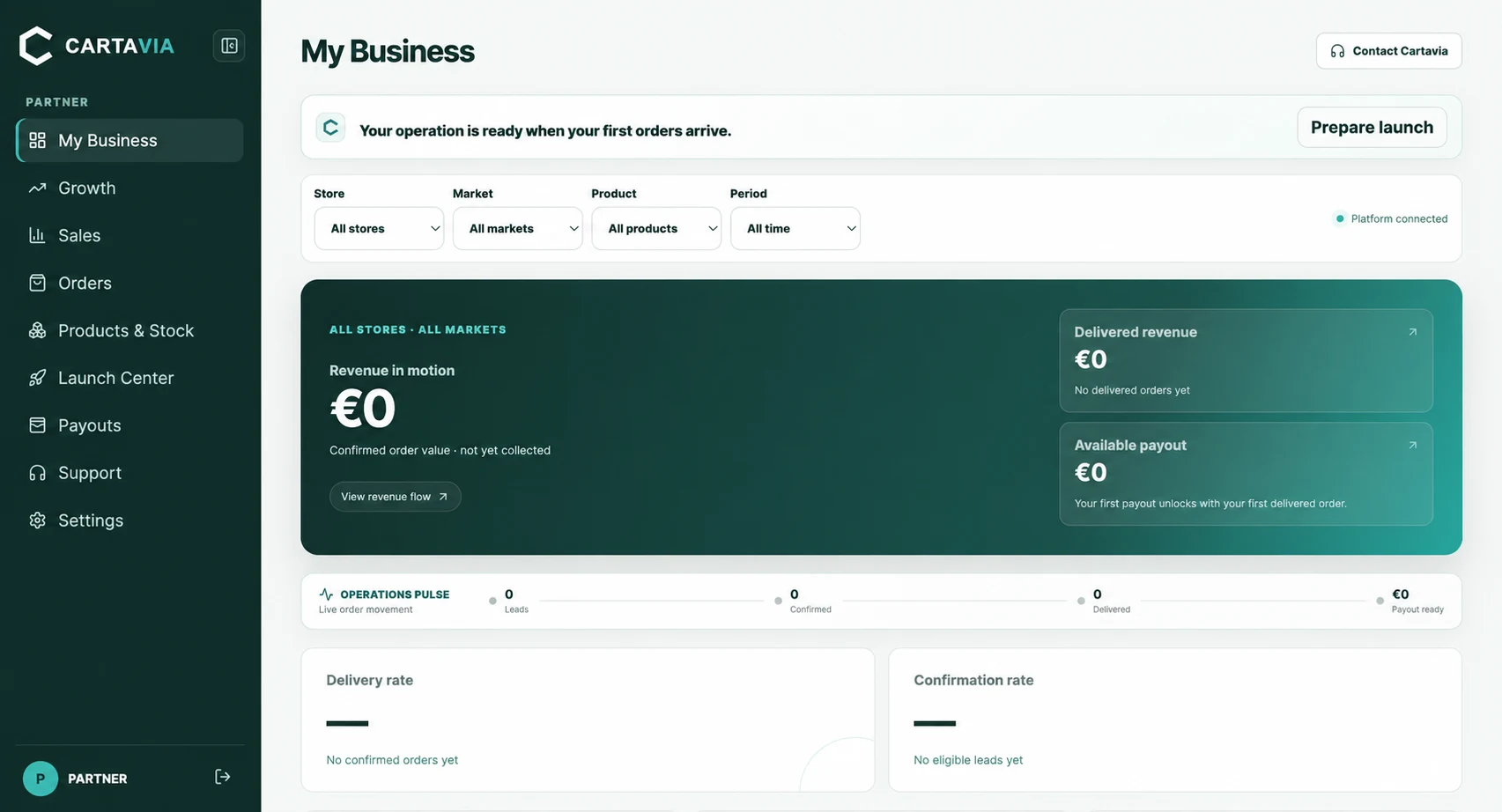
Cartavia Control gives partners a workspace for order movement, stock, exceptions and payout status. It connects the information used by the operating team with the information sellers need to review their business.
If something needs attention, its order context and next action stay visible rather than being separated into an unrelated message or spreadsheet.
Keep returns connected to stock
A refused or returned parcel still has an order history. The outcome is recorded and returned items are checked before suitable units re-enter available stock.
Return processing and carrier return charges are separate cost considerations. See the published Portugal fees and calculator for the current public charging basis and the costs excluded from estimates.
Prepare your fulfilment discussion
- Your product list, variants and available quantities.
- Current stock location and any planned replenishment.
- Parcel weight, packaging and preparation requirements.
- Expected order volume and COD or prepaid payment model.
- Your store and how order information reaches the operation.
Use the Portugal launch checklist to prepare, or contact Cartavia to review the fit. The final service scope, timing and commercial terms are confirmed before launch.
Your questions, answered
Can I use Cartavia if I already have stock or a supplier?
Yes, you can discuss your existing stock and supplier arrangement. Share the product references, quantities, stock location and packaging requirements so Cartavia can confirm the receiving and fulfilment scope. You do not have to start with a new sourcing request.
Does fulfilment cover both COD and prepaid orders?
Cartavia supports COD and prepaid operating setups by agreement. The public mainland Portugal rate card covers the stated COD plan; prepaid orders need separately confirmed commercial terms.
How do I follow orders and available stock?
Partners use Cartavia Control for order movement, stock, delivery exceptions and payout visibility. Explore the public order demonstration to understand the connected workflow before applying.
What happens to refused or returned parcels?
The return remains linked to the original order. Returned items are checked before suitable units re-enter available stock. Return processing and any carrier return charge are separate from costs already incurred for preparation and outbound shipping.
What do you need before agreeing a launch date?
Bring your product list, stock position, parcel weights, packing requirements, store platform and expected volume. Receiving, order transfer, responsibilities and timing are confirmed during onboarding. Contact Cartavia for your setup rather than assuming a fixed dispatch or launch deadline.
Your next step
Build the operation behind your sales.
Tell Cartavia about your product, market and current operation. We review the fit before agreeing the setup together.
Apply to become a partner