
Cartavia · Demo
See how a Cartavia order moves.
Follow the work behind a Portugal cash on delivery order. Explore a completed delivery, an address exception or a returned parcel, and see why order, stock and collection information need to stay connected.
Interactive walkthrough
One order. A connected operation.
Explore an illustrative COD order. This walkthrough explains the workflow; it is not a live account or the exact Cartavia Control interface.
Step 1 of 6 · Order received
Start with the order context.
The product, quantity, payment model and delivery details give the team a starting point. This example is one unit, with €40 due on delivery in mainland Portugal.
Check customer intent, order total and delivery details.
- Status
- Awaiting confirmation
- Responsibility
- Confirmation team
- Stock
- Availability to be checked
- Collection & payout
- No COD collected
Select any stage or use the controls to follow the order.
What happens at each stage?
- Order received: review the product, quantity, payment model and delivery details.
- Confirmation: check customer intent and the information needed before dispatch.
- Fulfilment: connect picking and packing to the approved order and stock.
- Dispatch: attach carrier handoff and shipment information to the order.
- Delivery or recovery: follow the outcome, record exceptions and identify the next action.
- Reconciliation: review collections, applicable charges and the related payout status. Check returns before suitable stock becomes available again.
The workflow and responsibilities are agreed during onboarding. Delivery outcomes, recovery success and payout timing depend on the actual operation and partner terms.
Meet the partner workspace
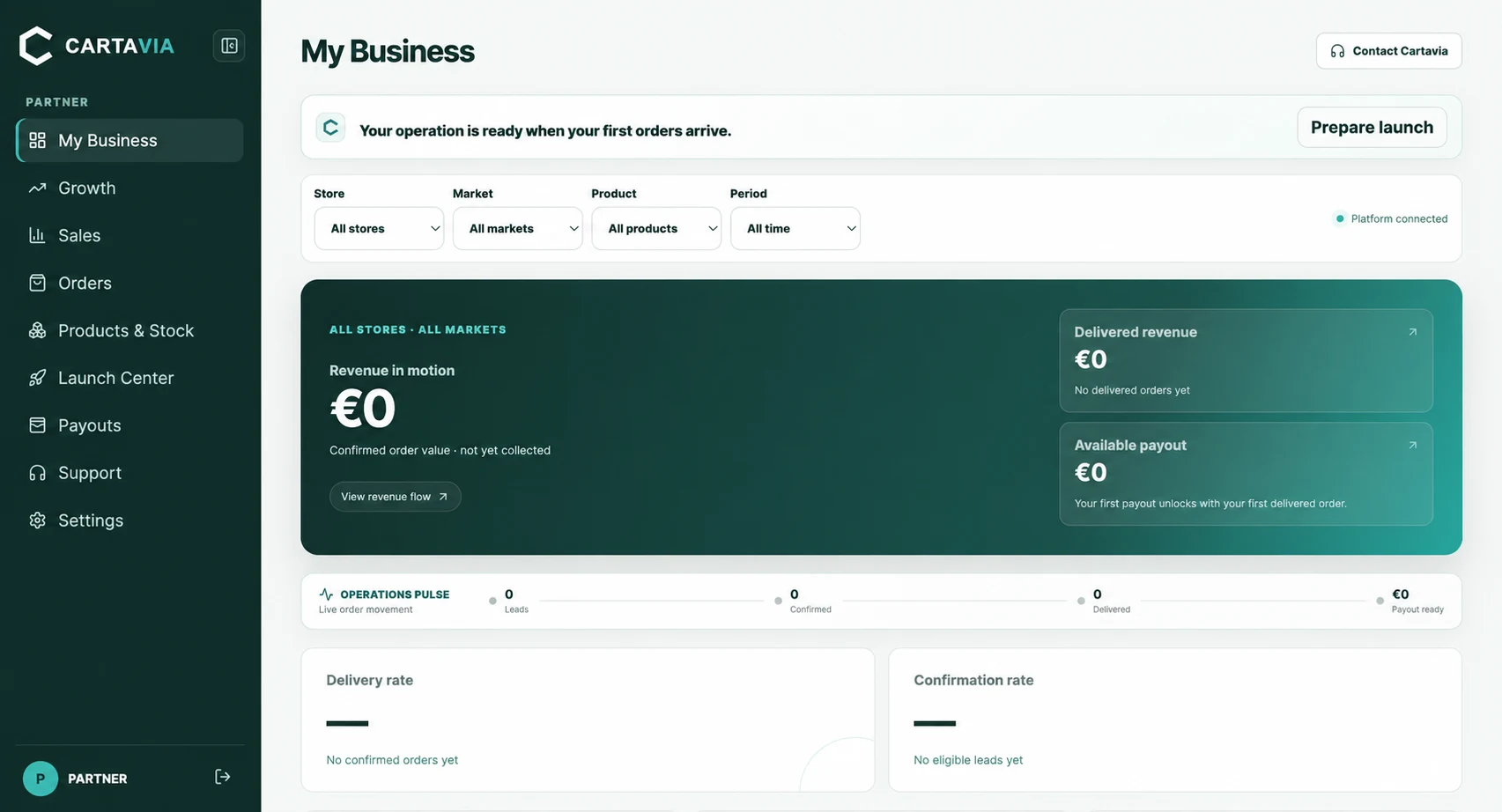
Cartavia Control brings order movement, stock and payout information into the partner workspace. The image below shows the dashboard without partner or customer data; the interactive walkthrough above is a separate explanation of the order journey.
Connect the example to your operation
Review fulfilment in Portugal for stock and parcel preparation, cash on delivery operations for confirmation and collection, or sourcing and stock support if your product is still being prepared.
The example’s €40 order total is illustrative, not a revenue result or a net payout. Use the published fees and calculator to explore costs using your own assumptions.
Your questions, answered
Can I explore the demonstration without an account?
Yes. This public walkthrough needs no login and uses an illustrative order. Actual partner records are accessed separately through Cartavia Control.
Is this a live customer order?
No. DEMO-001 and its outcomes are examples. They do not show a real customer, achieved delivery rate or completed payout. The dashboard image is shown without partner or customer data.
Can Cartavia demonstrate a workflow for my store?
Contact Cartavia with your store platform, product, stock location, payment model and intended market. The team can review the fit and discuss the relevant workflow and onboarding scope.
Your next step
Build the operation behind your sales.
Tell Cartavia about your product, market and current operation. We review the fit before agreeing the setup together.
Apply to become a partner